Are you a gamer balancing work, family, and a craving for Roblox fun, only to be met with frustrating lag on your Chromebook? You're not alone. Many players ask why does Roblox have so many issues on Chromebook, hindering their relaxation and social gaming time. Chromebooks, while excellent for productivity and portability, often struggle with the demands of even moderately graphic-intensive games like Roblox. This article dives deep into the core reasons behind these performance hiccups, from hardware limitations and operating system differences to internet connectivity woes and outdated software. We will explore practical, budget-friendly solutions and optimization tips tailored for the average adult gamer looking to maximize their experience without investing in new hardware. Discover how to tweak settings, manage resources, and understand the technical nuances that impact your gameplay. Our comprehensive guide aims to empower you to reduce lag, improve frame rates, and finally enjoy Roblox smoothly on your Chromebook, helping you make the most of your precious gaming moments.
Related games- Guide to Roblox Assasin Master Stealth Skills 2026
- Guide How To Unmute Roblox Voice Chat Fast
- Guide to Roblox Sharp Boosting Your Game Visuals
- Guide NZXT CAM Download Optimize Your PC Gaming
- Guide How Much Robux is 50 Understanding Your Value
Q: Why is Roblox so slow on my Chromebook?
A: Roblox is often slow on Chromebooks primarily due to their generally lower-end hardware, including less powerful CPUs, limited RAM, and integrated graphics cards not designed for demanding 3D games. The Android app environment on Chrome OS also adds an extra layer of processing, further impacting performance.
Q: Can I make Roblox run better on a cheap Chromebook?
A: Yes, you can significantly improve Roblox performance on a cheap Chromebook by lowering in-game graphics settings, closing all unnecessary background applications and browser tabs, ensuring both Chrome OS and the Roblox app are fully updated, and clearing the app's cache periodically. A stable, fast internet connection is also crucial.
Q: Is Roblox optimized for Chrome OS?
A: Roblox is not natively optimized for Chrome OS in the same way it is for Windows or macOS. Instead, it runs as an Android application through the Google Play Store. This can lead to less efficient resource utilization and compatibility challenges, resulting in performance issues unique to Chromebooks.
Q: What are the minimum specs for Roblox on Chromebook?
A: While Roblox doesn't publish official Chromebook specs, for a *playable* (not necessarily smooth) experience, you'll ideally want a Chromebook with at least an Intel Celeron N4000 series or better processor, 4GB of RAM (8GB is highly recommended), and enough free storage for the app. A good internet connection is also essential.
Q: How does internet speed affect Roblox on Chromebooks?
A: Internet speed and stability greatly impact Roblox performance on Chromebooks. A slow or inconsistent connection causes network lag, manifesting as delayed actions, rubber-banding, or disconnections, even if your Chromebook's hardware is sufficient. A wired connection or strong Wi-Fi signal is highly recommended.
Q: Should I use a USB-C to Ethernet adapter for Roblox on my Chromebook?
A: Yes, using a USB-C to Ethernet adapter is an excellent way to improve Roblox stability and reduce latency on your Chromebook. A wired connection provides a more consistent and faster internet connection compared to Wi-Fi, which can significantly enhance your online gaming experience and reduce lag.
Q: Are there specific Chromebook settings to optimize for Roblox?
A: To optimize Chromebook settings for Roblox, close all Chrome browser tabs and other Android apps before launching the game. Keep Chrome OS and the Roblox app updated. You can also monitor resource usage with the Chrome OS Task Manager (Shift + Esc) to identify and close any processes consuming excessive CPU or RAM during gameplay.
Gaming is more than just a hobby for many of us balancing jobs, families, and life's endless to-do lists; it's a vital escape, a way to relax, socialize, and even build new skills. When you finally carve out some precious free time to dive into Roblox, the last thing you want is a frustrating, laggy experience on your Chromebook. It’s a common pain point: many gamers find themselves asking, “why does Roblox have so many issues on Chromebook?” You expect a smooth, fun experience, but instead, you're met with stuttering frames, slow loading times, and crashes. This isn't just annoying; it eats into your valuable relaxation time and makes connecting with friends in your favorite virtual worlds a chore. You're not alone in feeling this frustration. In fact, gaming remains a top leisure activity in the US, with 87% of gamers playing regularly, often dedicating 10+ hours a week, and a significant portion relying on mobile or budget-friendly devices. Many adult gamers, around age 36 on average, appreciate the accessibility of Chromebooks for everyday tasks but quickly discover their limitations when it comes to gaming. We're here to explain exactly why Roblox struggles on these devices and, more importantly, to give you actionable, no-nonsense solutions to get you back to enjoying your games.
This guide cuts through the hype to offer practical, expert advice. We'll delve into the technical reasons behind Roblox's performance issues on Chromebooks, from hardware bottlenecks to software quirks. More importantly, we'll provide clear, step-by-step instructions and insights to optimize your Chromebook for better Roblox performance. Whether you're trying to set up your game for the first time, troubleshoot persistent lag, or just want to understand how to get the most out of your current device, we've got you covered. Get ready to transform your Roblox experience and reclaim your gaming zen.
Why Does Roblox Have So Many Issues on Chromebook?
The primary reason why Roblox has so many issues on Chromebooks boils down to hardware limitations and the operating system's design. Chromebooks are fundamentally built for web browsing, cloud-based applications, and light productivity tasks, not demanding 3D gaming. They typically feature lower-powered processors (CPUs), minimal RAM, and integrated graphics chips that are sufficient for streaming video or running office apps but quickly become bottlenecks when rendering complex Roblox worlds. Furthermore, Roblox on a Chromebook usually runs through the Android app, which isn't always perfectly optimized for Chrome OS and its specific hardware configurations, leading to compatibility and performance glitches.
Another significant factor is Chrome OS itself. While lightweight, it's not a native Windows or macOS environment where Roblox is fully optimized. The Android app runs within a containerized environment on Chrome OS, adding a layer of abstraction that can introduce latency and reduce efficiency. This means even if your Chromebook theoretically meets minimum specs, the overhead of running the Android app on a non-native system can severely impact performance. Many modern Roblox games are also becoming increasingly graphically demanding, pushing even mid-range devices, let alone entry-level Chromebooks, to their limits.
What Are the Main Performance Limitations of Chromebooks for Roblox?
Chromebooks face several key performance limitations when it comes to running Roblox smoothly. Firstly, their Central Processing Units (CPUs) are often designed for power efficiency over raw processing power, typically Intel Celeron, Pentium, or various ARM-based chips. These struggle with the intensive computations required for Roblox's physics, scripting, and rendering. Secondly, most Chromebooks come with limited Random Access Memory (RAM), often 4GB or less. Roblox can be a memory-hungry application, especially with multiple tabs open or background processes running, leading to frequent stuttering and crashes as the system tries to manage resources.
Thirdly, graphics processing units (GPUs) on Chromebooks are almost exclusively integrated, meaning they share memory with the CPU and lack dedicated VRAM. These integrated GPUs are not designed to handle the complex 3D rendering and texture processing that Roblox demands, resulting in low frame rates and visual artifacts. Finally, the storage often consists of eMMC flash memory, which is slower than SSDs found in traditional laptops. While not directly impacting real-time gameplay as much as CPU/GPU/RAM, slower storage can lead to longer game loading times and general system sluggishness, exacerbating the overall feeling of a poorly performing device.
Is the Roblox Android App on Chromebook Different from PC?
Yes, the Roblox Android app on Chromebooks is fundamentally different from the native Roblox client you'd install on a Windows PC or Mac. On a PC, Roblox runs as a dedicated application, fully optimized for that operating system's architecture and hardware. It has direct access to the system's resources and graphics drivers, allowing for more efficient rendering and better performance.
On a Chromebook, Roblox typically runs as an Android application through the Google Play Store. This app is designed primarily for touch-based mobile devices and operates within a virtualized Android environment on Chrome OS. This layer of abstraction means the app doesn't have the same direct access to the Chromebook's hardware that a native PC application would. Input methods (keyboard/mouse vs. touch), display scaling, and overall resource allocation can be less optimized, leading to performance inefficiencies, graphical glitches, and a less fluid user experience compared to playing on a dedicated PC. While the core game content is the same, the underlying execution environment introduces significant differences in performance and stability.
How Can I Improve Roblox Performance on My Chromebook?
Improving Roblox performance on your Chromebook requires a combination of system optimization and smart gameplay habits. While you can't magically upgrade your hardware, you can make the most of what you have. Here are some actionable steps:
Close Background Apps: Before launching Roblox, close all unnecessary Chrome tabs, Android apps, and other background processes. Every open application consumes RAM and CPU cycles that Roblox desperately needs. A clean slate gives Roblox more resources.
Update Chrome OS and Roblox App: Ensure both your Chromebook's operating system and the Roblox Android app are updated to their latest versions. Updates often include performance enhancements, bug fixes, and better compatibility, which can significantly improve stability and speed. Check for Chrome OS updates in Settings > About Chrome OS and app updates in the Google Play Store.
Adjust In-Game Graphics Settings: This is crucial. Once in a Roblox game, navigate to the in-game settings (usually by pressing the Esc key) and lower the graphics quality. Reduce the 'Graphics Mode' to manual and then slide the 'Graphics Quality' bar down to 1 or 2. This dramatically reduces the burden on your Chromebook's integrated GPU, leading to higher frame rates.
Clear Cache and Data: Periodically clear the cache and data for the Roblox app (Settings > Apps > Roblox > Storage & cache). This can resolve corrupted files and free up storage that might be slowing down the app. Be aware that clearing data might log you out of the app.
Restart Your Chromebook: A simple restart can often clear out temporary files, refresh system resources, and resolve minor software glitches that might be impacting performance. Make it a habit before a gaming session.
Consider a Wired Internet Connection (if possible): While less common for Chromebooks, if you have a USB-C to Ethernet adapter, a wired connection offers superior stability and lower latency compared to Wi-Fi, which can make a noticeable difference in online games like Roblox.
Are There Specific Chromebook Models Better for Roblox?
Yes, some Chromebook models are significantly better suited for Roblox than others, though none will rival a dedicated gaming PC. When considering a Chromebook for Roblox, look for models with more robust specifications. Prioritize those with at least an Intel Core i3 (10th generation or newer) or an AMD Ryzen 3 processor. These CPUs offer a substantial performance boost over the Celeron or Pentium chips found in entry-level models. RAM is also critical; aim for 8GB of RAM if your budget allows. While 4GB can technically run Roblox, 8GB provides a much smoother experience, especially when multitasking. Additionally, models with faster NVMe SSD storage (rather than eMMC) will improve overall system responsiveness and loading times.
Some higher-end Chromebooks, often marketed as 'premium' or 'for creators,' might even feature better integrated graphics (like Intel Iris Xe), which can offer a noticeable improvement in graphical performance. Always check reviews specifically mentioning gaming performance and avoid ultra-budget models if Roblox is a priority. Look for devices from brands like Acer, ASUS, or Lenovo that offer these upgraded internal components, as they are specifically designed for more demanding tasks than basic web browsing. Remember, the goal is not to achieve ultra-settings, but to get a stable, playable frame rate.
What Alternatives Exist if My Chromebook Struggles with Roblox?
If your Chromebook consistently struggles with Roblox despite optimization efforts, it might be time to consider alternatives to ensure you get the enjoyable gaming experience you deserve. Many adult gamers find themselves limited by device capabilities, but there are still excellent options:
Cloud Gaming Services: Services like NVIDIA GeForce NOW or Xbox Cloud Gaming allow you to stream high-end games directly to your Chromebook. While Roblox itself isn't directly offered on these platforms, many other popular titles are. The downside is that you need a strong, stable internet connection and often a subscription. This shifts the processing power from your Chromebook to powerful remote servers.
Mobile Gaming (Phone/Tablet): The Roblox app is often better optimized for dedicated Android or iOS phones and tablets than for Chromebooks. If you have a relatively modern smartphone or tablet, you might find a much smoother experience there, leveraging the device's native mobile hardware and software optimizations. This is a great solution for portable, casual play.
Consider a Budget Gaming PC/Laptop: If gaming is a frequent and important part of your relaxation, investing in an entry-level gaming PC or a refurbished gaming laptop might be a worthwhile long-term solution. You don't need a top-tier machine; even a system with a dedicated entry-level GPU (like an Nvidia GTX 1650 or AMD RX 6400) and an older i5/Ryzen 5 processor can run Roblox flawlessly and handle many other modern games. Look for sales on older models or reputable refurbished units for value for money.
Roblox on Console: If you own an Xbox console, Roblox is fully available and offers a fantastic, optimized experience. Connecting a console to your TV provides a big-screen, couch-friendly gaming session, perfect for unwinding after a long day.
The best alternative depends on your budget, existing devices, and how frequently you want to play Roblox. For many, a phone or tablet offers the most immediate and cost-effective improvement.
How Do I Manage My Chromebook's Settings for Better Gaming?
Optimizing your Chromebook's settings for better Roblox performance goes beyond just the in-game options. Proper system management can free up crucial resources. Here’s how to do it:
Disable Unnecessary Extensions: Chrome browser extensions, while useful, consume RAM and CPU even when not actively in use. Go to chrome://extensions/ in your browser and disable any extensions you don't need, especially before a gaming session. You can re-enable them later.
Turn Off Syncing: If you have extensive Chrome syncing enabled, it might be running in the background. While not a huge resource hog, it's worth checking in Settings > Google Account > Sync and Google services to ensure it's not constantly active during gameplay.
Use Guest Mode for Gaming (Advanced Tip): For maximum resource allocation, consider logging out of your main profile and playing Roblox in Guest Mode. This ensures no background processes, extensions, or user data are loading, providing the cleanest possible environment for the Roblox app. You'll need to log into Roblox each time, but it can make a difference on very low-end devices.
Monitor Resource Usage: Press Shift + Esc to open the Chrome OS Task Manager. This tool shows you which tabs and apps are consuming the most CPU and memory. Use this to identify and close resource-intensive processes before launching Roblox. It's a great way to understand what's truly slowing your system down.
Check for Android Apps Running in Background: Even after closing, some Android apps might persist in the background. Go to Settings > Apps > Manage your apps. You can force stop applications that are known to be resource hogs or that you don't need running in the background while playing Roblox.
What Future Updates Might Help Roblox on Chromebooks?
The future of Roblox performance on Chromebooks could see improvements driven by several factors, although major breakthroughs might be limited by the hardware's fundamental design. One significant area is **better optimization of the Android app for Chrome OS**. As Google continues to refine the Android app container on Chrome OS, we might see more efficient resource allocation, better graphics driver integration, and smoother input handling. Developers at Roblox could also release updates specifically targeting Chromebook performance, perhaps through a dedicated Chrome OS version of the app rather than solely relying on the generic Android build.
Secondly, **advancements in Chromebook hardware** itself will naturally lead to better gaming performance. As new Chromebooks hit the market with more powerful CPUs (like Intel Core Ultra series), integrated GPUs (such as upgraded Intel Arc or AMD RDNA-based graphics), and increased RAM (16GB becoming more common), the baseline performance for games like Roblox will improve significantly. We're already seeing a trend towards more powerful Chromebooks that bridge the gap between traditional laptops and their cloud-first roots. Lastly, broader adoption of **cloud gaming services** might eventually integrate Roblox directly, allowing powerful servers to handle the rendering while your Chromebook simply streams the video feed, bypassing local hardware limitations entirely.
Does Internet Connection Affect Roblox Performance on Chromebooks?
Absolutely, your internet connection plays a critical role in Roblox performance on Chromebooks, perhaps even more so than on traditional gaming rigs due to potential resource limitations. Roblox is an online multiplayer game, meaning it constantly communicates with servers. A slow, unstable, or high-latency internet connection will manifest as lag, delayed actions, rubber-banding, and disconnections, regardless of how powerful your Chromebook is. This network lag is distinct from graphical or processing lag, but they often combine to create an unbearable experience.
To mitigate this, ensure your Wi-Fi signal is strong and stable. Play closer to your router, or consider using a 5GHz Wi-Fi band if your router and Chromebook support it, as it offers faster speeds and less interference than 2.4GHz. Minimize other devices on your network hogging bandwidth, especially during your gaming sessions. If possible, and if your Chromebook has a USB-C port, investing in a USB-C to Ethernet adapter can provide the most stable and lowest-latency connection, offering a noticeable improvement for online play. Even with a powerful Chromebook, a poor internet connection will always hinder your Roblox experience.
FAQ Section
Why is Roblox so slow on my Chromebook?
Roblox is often slow on Chromebooks due to limited hardware resources (CPU, RAM, integrated GPU) and the inefficiencies of running the Android app within Chrome OS. Chromebooks are not designed for demanding 3D gaming, leading to bottlenecks and performance issues.Can I make Roblox run better on a cheap Chromebook?
You can improve Roblox performance on a cheap Chromebook by lowering in-game graphics settings, closing all background apps, keeping Chrome OS and the Roblox app updated, clearing app cache, and ensuring a stable internet connection. These optimizations help maximize available resources.Is Roblox optimized for Chrome OS?
No, Roblox is not natively optimized for Chrome OS in the same way it is for Windows or macOS. It typically runs as an Android app on Chromebooks, which can introduce performance overhead and compatibility issues compared to a dedicated, native client.What are the minimum specs for Roblox on Chromebook?
While Roblox doesn't list specific Chromebook minimums, for a playable experience, aim for at least an Intel Celeron N4000 series or better CPU, 4GB of RAM (8GB is highly recommended), and a stable internet connection. Anything less will likely result in significant lag.Does clearing my Chromebook's cache help Roblox?
Yes, clearing the Roblox app's cache and data (via Chromebook Settings > Apps) can often resolve performance issues by removing corrupted temporary files and freeing up storage. Remember that clearing data might log you out of the Roblox app.Should I use a wired connection for Roblox on Chromebook?
Using a wired Ethernet connection via a USB-C adapter can significantly improve Roblox performance on your Chromebook, especially for online multiplayer games. It provides greater stability, lower latency, and less interference compared to Wi-Fi, reducing network-related lag.Why does my Chromebook crash when playing Roblox?
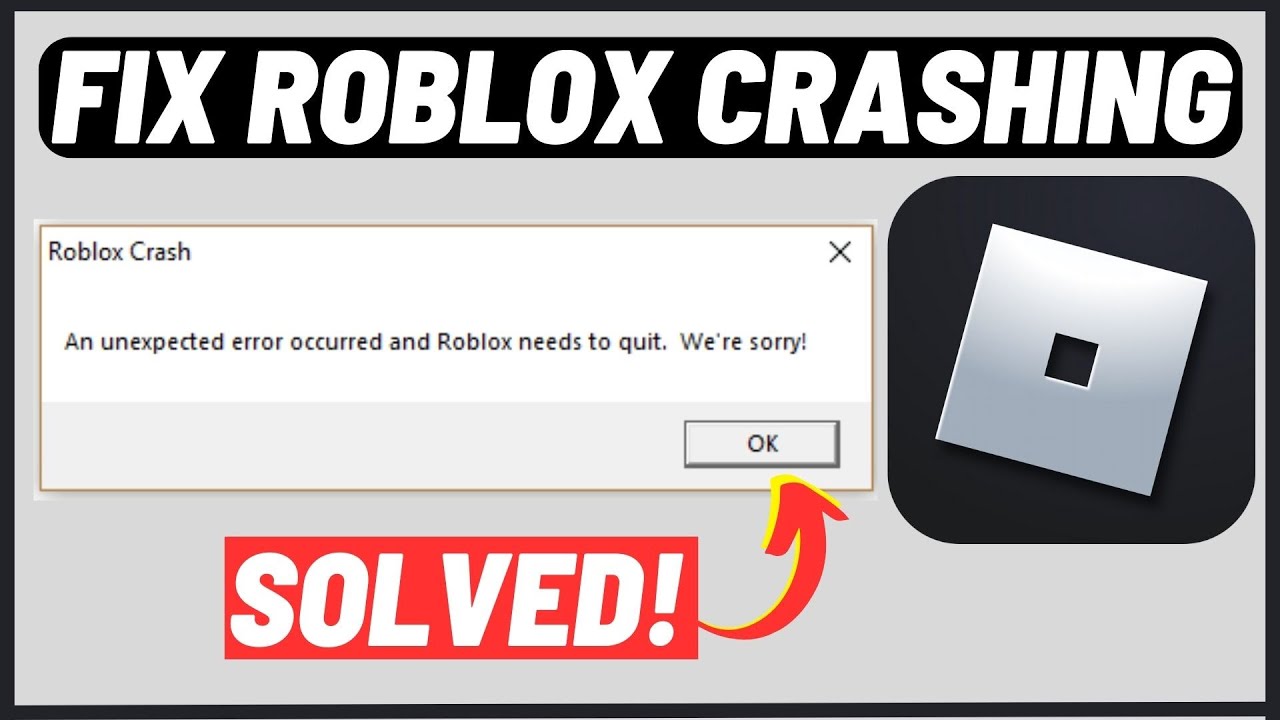
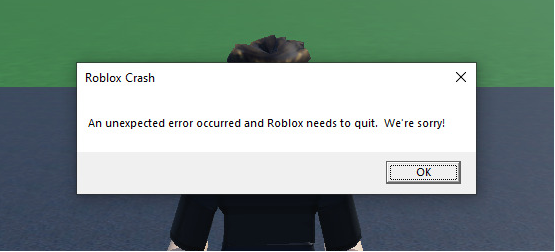
Chromebooks often crash while playing Roblox due to insufficient RAM, CPU overheating from sustained demand, or instability in the Android app environment. Lowering graphics, closing background apps, and ensuring updates can help reduce crashes.Is there a different version of Roblox for Chromebooks?
No, there isn't a dedicated, unique version of Roblox specifically for Chromebooks. Chromebook users primarily access Roblox through the standard Android app available via the Google Play Store, which is the same app used on Android phones and tablets.Conclusion
Navigating the world of Roblox on a Chromebook can be a real balancing act for gamers who just want to unwind and have fun without a huge hardware investment. We've explored why does Roblox have so many issues on Chromebook, from hardware limitations and Android app optimization challenges to the impact of your internet connection. But more importantly, we’ve armed you with practical, actionable strategies to improve your gameplay. From tweaking in-game graphics and managing background processes to understanding your Chromebook’s specifications and considering alternatives, you now have the tools to make the most of your gaming sessions.
Remember, your gaming experience doesn't have to be perfect, but it should be enjoyable. By applying these tips, you can transform a frustrating, laggy Roblox session into a much smoother, more relaxing escape. Whether you're building worlds, battling friends, or just exploring, a little optimization goes a long way. What’s your biggest gaming challenge with Roblox on your Chromebook, or what trick has worked best for you? Comment below and share your insights with our community!
Roblox Chromebook issues, low performance, Android app problems, hardware limitations, optimization tips, lag reduction, system requirements, internet connectivity fixes, Chromebook gaming guide
35

Can Roblox Run On Chromebook Find Out Here Roblox Chromebook Fi.webp. How To Make Roblox Less Laggy On Chromebook Robots Net How To Play Roblox On A Chromebook 1706813892 . How To Play Roblox On Your Chromebook Roblox Chromebook 2023 Screen 03 Wm.JPG. Can T Download Roblox Common Issues And How To Fix Them . Is Roblox Having Connection Issues C Ch Kh C Ph C Hi U Qu Roblox Connection Error I Cant Seem To Fix V0

Why Isn T My VC Working On Roblox Mobile GHacks Tech News Oberon Copeland Com TWcT7gG59js Unsplash 1 . Roblox Not Working On Google Chrome Why How To Get It Work Roblox Not Working On Chrome 315x210 . How To Play ROBLOX On CHROMEBOOK 2020 EASIEST WAY POSSIBLE . How To Prevent Your Chromebook From Losing Wi Fi Connection How To Play Roblox Online Through Chrome On Chromebook . How To Play Roblox On Your Chromebook Roblox Chromebook 2023 Screen 01 Wm.JPG

Does Roblox Work On Chromebook Play Roblox On Google Chrome YQZF Developer Mode Play Roblox School Chromebook . How To Play Roblox On Your Chromebook Roblox Chromebook 2023 Screen 02 Wm 1.JPG. Roblox Down Updates Hundreds Of Users Report Issues With Server Screenshot 2023 10 13 At 3.54.58 PM . An Error Occurred While Starting Roblox Best Methods To Fix It An Error Occurred While Starting Roblox 1024x576 . 12 Common ROBLOX Problems With Fixes Games Guider ChatGPT Image Jan 3 2026 04 33 12 AM 1024x683

12 Common ROBLOX Problems With Fixes Games Guider ChatGPT Image Jan 3 2026 04 29 47 AM Compressed . How To Fix Roblox Freezing And Crashing H Ng D N S A L I M T M 2 690x409 . Roblox Keeps Crashing Why Does My Roblox Keep Crashing Mobile TikTok . Fix Common Roblox Issues On Windows 10 How To Fix Roblox Not Launching . Roblox Keeps Crashing Issue Why How To Fix 6 Solutions Unexpected Error Roblox Keeps Crashing

Fixing Roblox Issues On New PC With R5 7600X LevelUpTalk Roblox Issues 02 10 2026 7a8ab666 F929 4199 92bb. Fix Common Roblox Issues On Windows 10 How To Fix Roblox Not Launching Sddefault . How To Resolve Roblox Crashing Issues Easily 10 Roblox Crashing 2 . Bloodborne PC Release Date In 2025 Coming Soon SOLVED Why Isnt Roblox Working . How To Run Roblox On Your New Chromebook Screenshot 2021 07 20 1.52.43 PM


Roblox Moderation How Does It Work 2026 Q A . Common Roblox Issues And How To Fix Them Techno FAQ Common Roblox Issues And How To Fix Them 480x320 . How To Install And Play Roblox On Chromebook TechLatest F 64 1024x768 . Roblox Not Working How To Fix It TechBriefly Roblox Not Working 750x422 . Why Does Roblox Keep Crashing Guide V4 460px Why Does Roblox Keep Crashing Step 33


Why Has Roblox Had So Many Site Problems Recently R Roblox . Is Roblox Down Right Now Issues Roblox Error Code 112 . How To Fix Roblox Connection Error Problem Reaching Servers YouTube . Roblox Not Working Top Ways To Fix Roblox Launching Issues Top Ways To Fix Roblox Launching Issues . Fix Failed To Download Or Apply Critical Settings Roblox How To Install 2